Guide 2 of 7

Login & Your Winzap Account

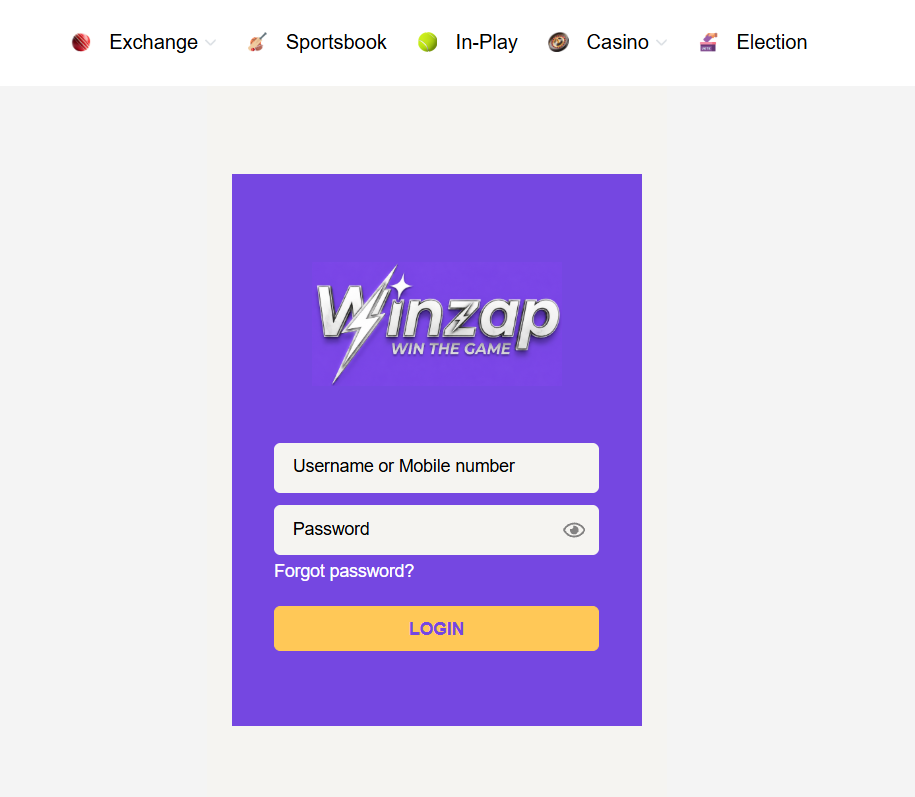
The gold LOGIN button at the top right of winzap.vip opens a simple sign-in page. You enter your username or mobile number and your password, and there is a Forgot password link if you need to reset it.

Open winzap.vip login Ask us a question

What you can do here

  • Sign in with your username or your mobile number
  • Show or hide the password with the eye icon to avoid typing mistakes
  • Reset your password from the Forgot password link
  • Reach your balance, bets and account pages after signing in

Good to know

  • winzap.vip says new players register on the website or the app with a short form and confirm with an OTP (a one-time code sent to the phone).
  • Winzap states that it does not ask players to upload identity documents (“no KYC”). Rules can change, so read the current terms on the official site.
  • Never share your password or an OTP with anyone, including people who say they work for Winzap.
  • Check that the address bar says winzap.vip before you type a password. Fake look-alike pages exist for every popular betting site.

Step by step

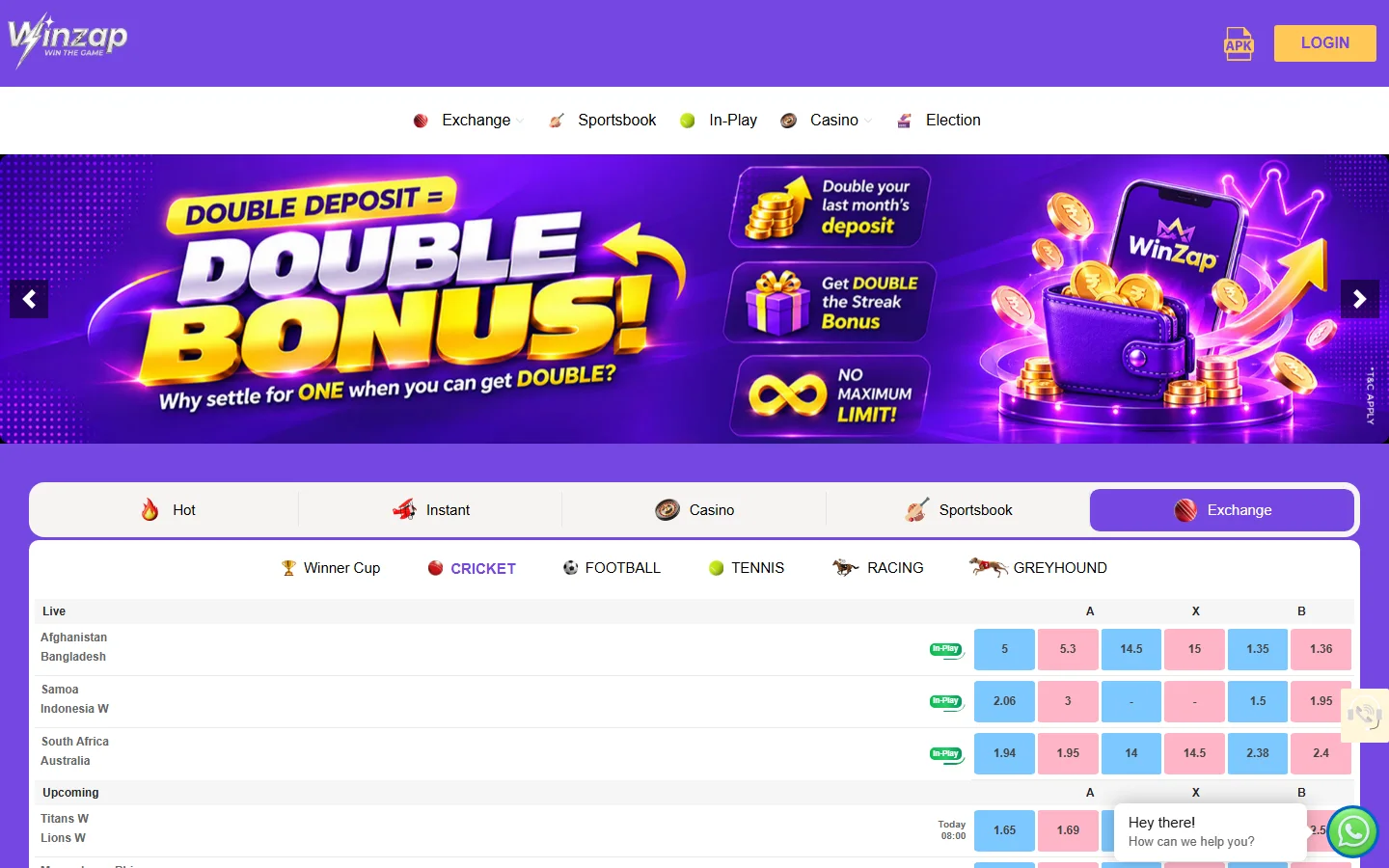
  1. Open winzap.vip and click the gold LOGIN button at the top right (or go straight to winzap.vip/login).
  2. Type your username or mobile number.
  3. Type your password. Tap the eye icon to check what you typed.
  4. Press LOGIN. If you forgot the password, press “Forgot password?” instead.
winzap.vip home page with the gold LOGIN button highlighted at the top right12
Enlarge

Step 1

Find the LOGIN button

The LOGIN button is gold with purple text in the top right corner of every page, just to the right of the APK icon.
  1. 1LOGIN button: opens the sign-in page
  2. 2APK icon: downloads the Android app
Winzap sign-in page with username, password, forgot password and LOGIN button highlighted12345
Enlarge

Step 2

Fill in the login form

The sign-in page is a purple card on a light grey background. It has two white boxes and a gold button.

Fill in the boxes from top to bottom, then press LOGIN.

  1. 1Username or Mobile number: type the ID you created or were given
  2. 2Password
  3. 3Eye icon: show or hide the password
  4. 4Forgot password? link
  5. 5LOGIN: sign in

Screenshots were taken from the public pages of winzap.vip. Prices, odds and offers shown change all the time.

FAQ

Questions about this part of Winzap

Can I log in with my mobile number?

Yes. The first box is labelled “Username or Mobile number”, so you can use either.

I forgot my password. What now?

Press “Forgot password?” under the password box. If that does not help, contact Winzap support: the site lists WhatsApp, live chat, email and phone (see the Bonuses, payments & support guide).

How do I get an account?

winzap.vip describes a short sign-up on the website or app, confirmed with an OTP, and lists WhatsApp support for help getting started. You must be 18 or older.

Is it safe to type my password on a page I found through a search or an ad?

Always check the address bar first. Only enter your password on winzap.vip itself, never on a page that merely looks similar.

Need help with Login?

Leave your name and phone number and our team will get back to you.

Contact Us