Guide 4 of 7

Sportsbook, In-Play & Elections

Besides the Exchange, Winzap has a Sportsbook with simple win / draw / win odds across many sports, an In-Play page that lists matches that are live right now, and an Election page for political events.

Open the Sportsbook on winzap.vip Ask us a question

What you can do here

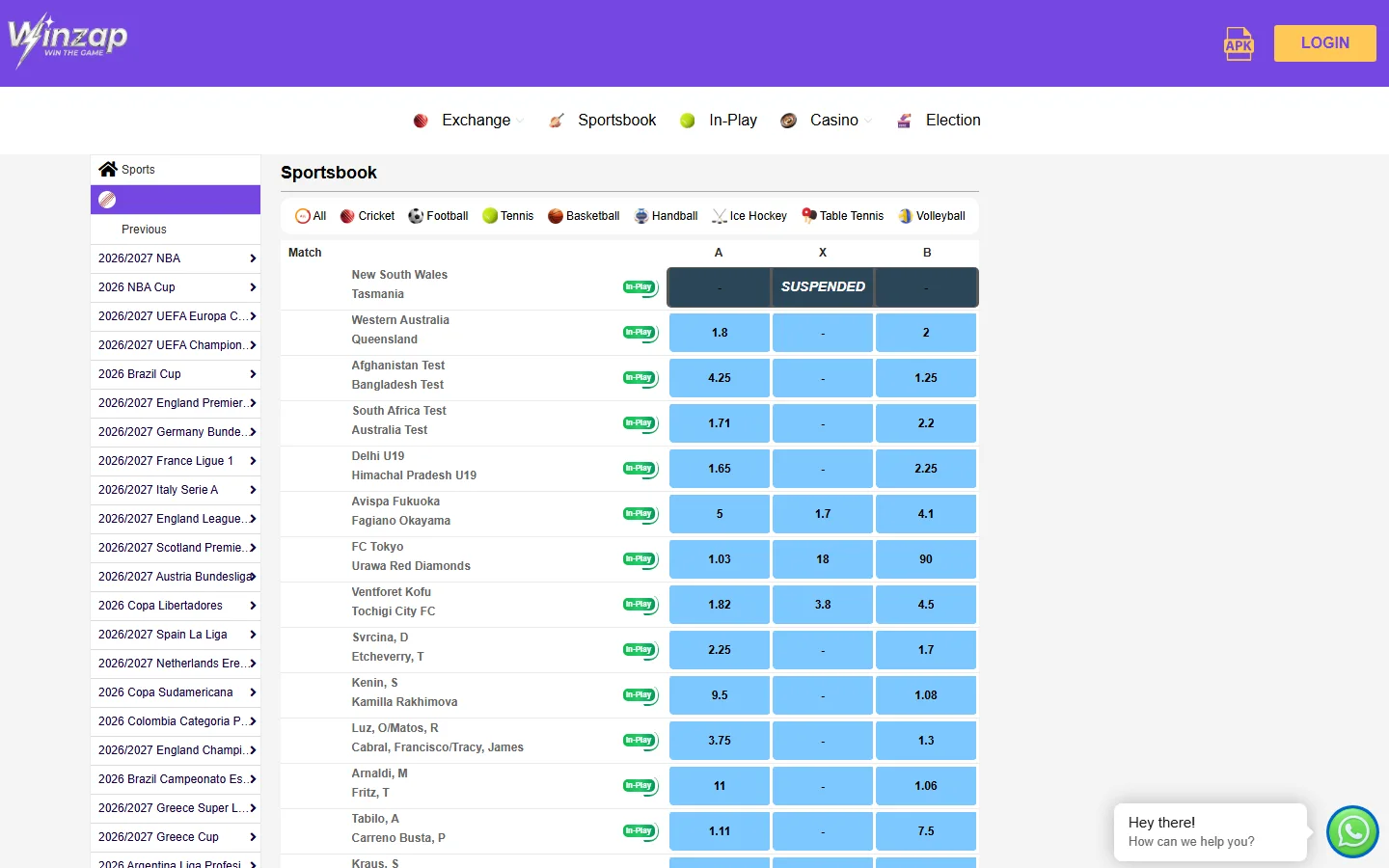
  • Filter the Sportsbook by sport: All, Cricket, Football, Tennis, Basketball, Handball, Ice Hockey, Table Tennis and Volleyball
  • Browse leagues in the left menu (for example the NBA, UEFA competitions, the English Premier League, Bundesliga, La Liga and Serie A)
  • Compare the simple A / X / B odds of each match in the blue boxes
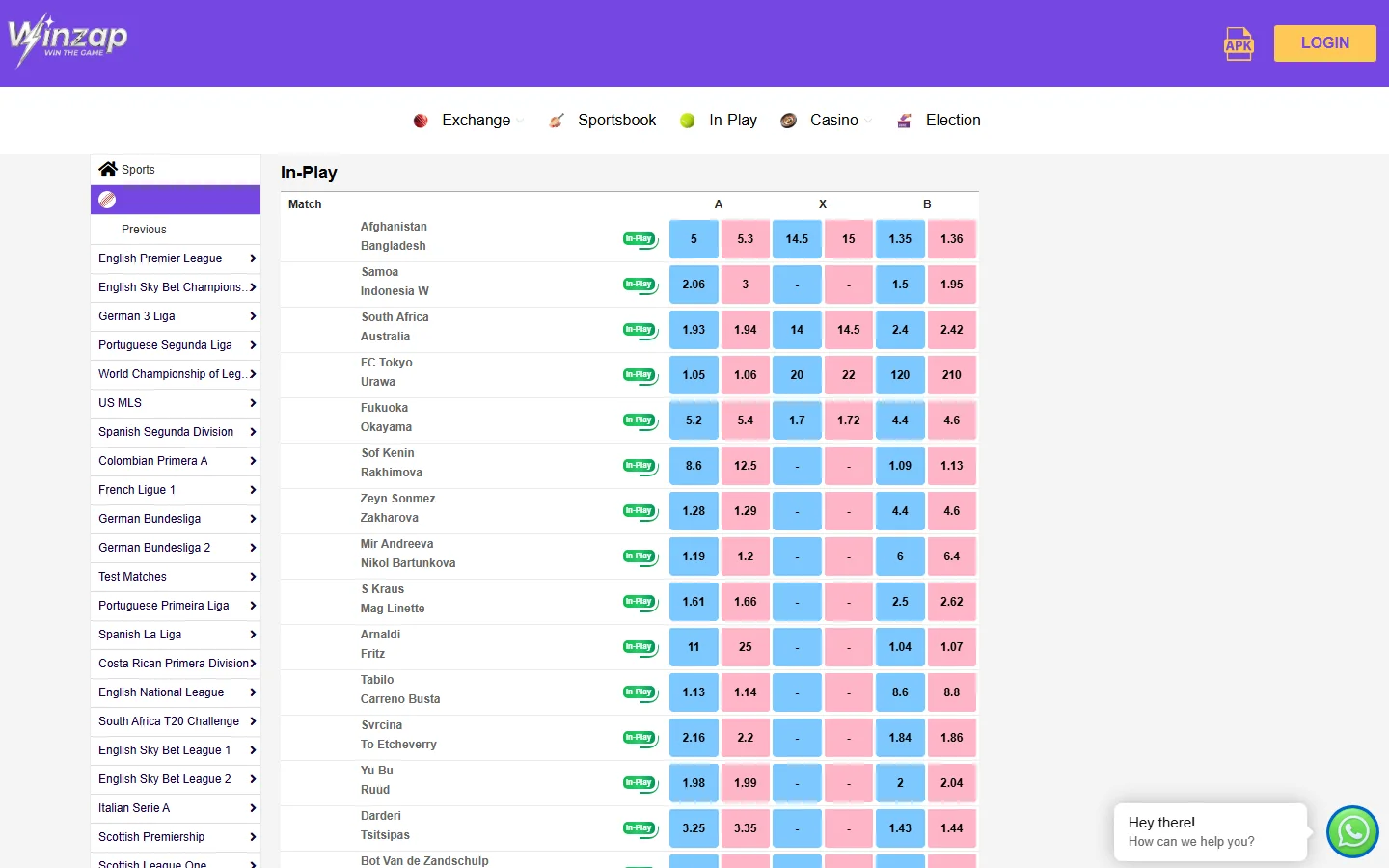
  • Open In-Play to see live matches with both Back (blue) and Lay (pink) prices
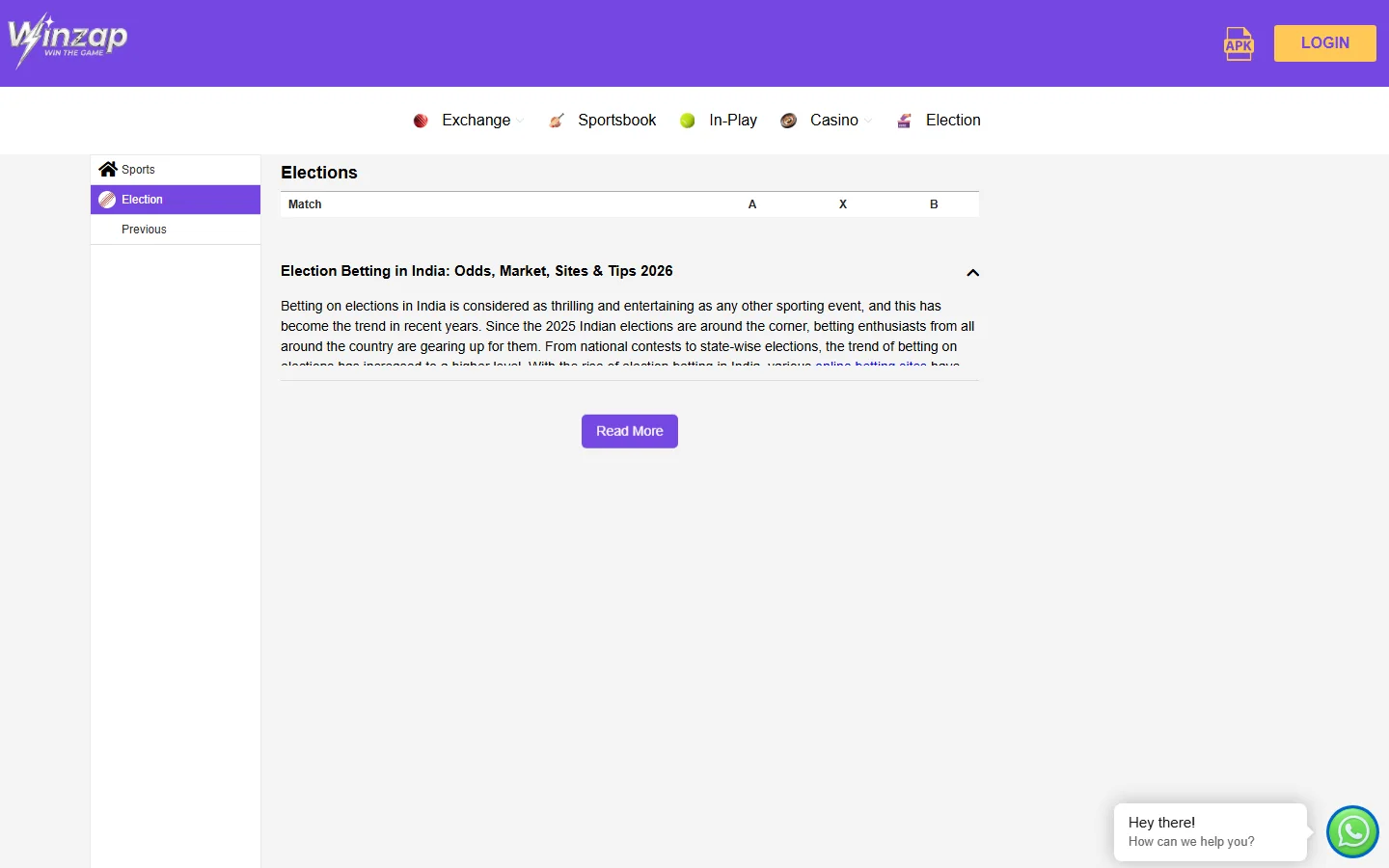
  • Check the Election page for political event markets when they are open

Good to know

  • SUSPENDED over a match means betting is paused for a moment, for example after a goal or a wicket.
  • Matches and leagues change every day depending on what is being played.
  • When we took our screenshot the Election page showed no open markets, only an explanatory article.

Step by step

  1. Click Sportsbook in the white menu bar.
  2. Pick a sport in the row of filters at the top of the list, or a league in the left menu.
  3. Read each row: team names on the left, odds A / X / B on the right.
  4. For matches that are on right now, open In-Play from the menu instead.
winzap.vip Sportsbook page with the sport filters, league menu and odds highlighted1234
Enlarge

Step 1

Sportsbook: filters, leagues and odds

The Sportsbook page lists matches across sports. Use the row of sport filters to narrow the list, or the league menu on the left.

Every match has three blue odds boxes: A, X and B. A dark SUSPENDED box means that market is paused.

  1. 1Sport filters: All, Cricket, Football, Tennis, Basketball and more
  2. 2League menu
  3. 3SUSPENDED: betting is paused on this match
  4. 4Odds boxes A / X / B
winzap.vip In-Play page with live matches and blue and pink odds highlighted1234
Enlarge

Step 2

In-Play: only matches that are live now

In-Play lists only matches that have started. Each one carries the green In-Play badge and shows both blue Back and pink Lay prices.

The league list on the left shows which competitions have live matches at the moment.

  1. 1In-Play page title
  2. 2Green In-Play badge
  3. 3Blue Back and pink Lay prices for A, X and B
  4. 4Leagues with live matches
winzap.vip Election page with the Election menu item and the market table highlighted123
Enlarge

Step 3

Election: political event markets

The Election item in the menu opens a page with a market table (Match, A, X, B) and an article about election markets.

Markets only appear while an election event is open. When we looked, the table was empty.

  1. 1Election selected in the side menu
  2. 2Market table header: Match, A, X, B (empty when no event is open)
  3. 3Explanatory article about election markets

Screenshots were taken from the public pages of winzap.vip. Prices, odds and offers shown change all the time.

FAQ

Questions about this part of Winzap

What is the difference between the Sportsbook and the Exchange?

On the Sportsbook page we saw one blue odds box per outcome. On the Exchange and In-Play pages you also see pink Lay prices next to the blue Back prices.

What does SUSPENDED mean?

Betting on that match is paused for a short time, for example during a key moment in the game. It reopens when the prices are updated.

Which sports can I find?

The Sportsbook filters list All, Cricket, Football, Tennis, Basketball, Handball, Ice Hockey, Table Tennis and Volleyball. The home page also has Racing and Greyhound tabs.

Is there election betting?

There is an Election item in the menu. Markets appear there only when an election event is open.

Need help with Sportsbook?

Leave your name and phone number and our team will get back to you.

Contact Us